Blur License Plates Online
Every plate is found and pixelated automatically. One car photo or 20 at once, never uploaded.
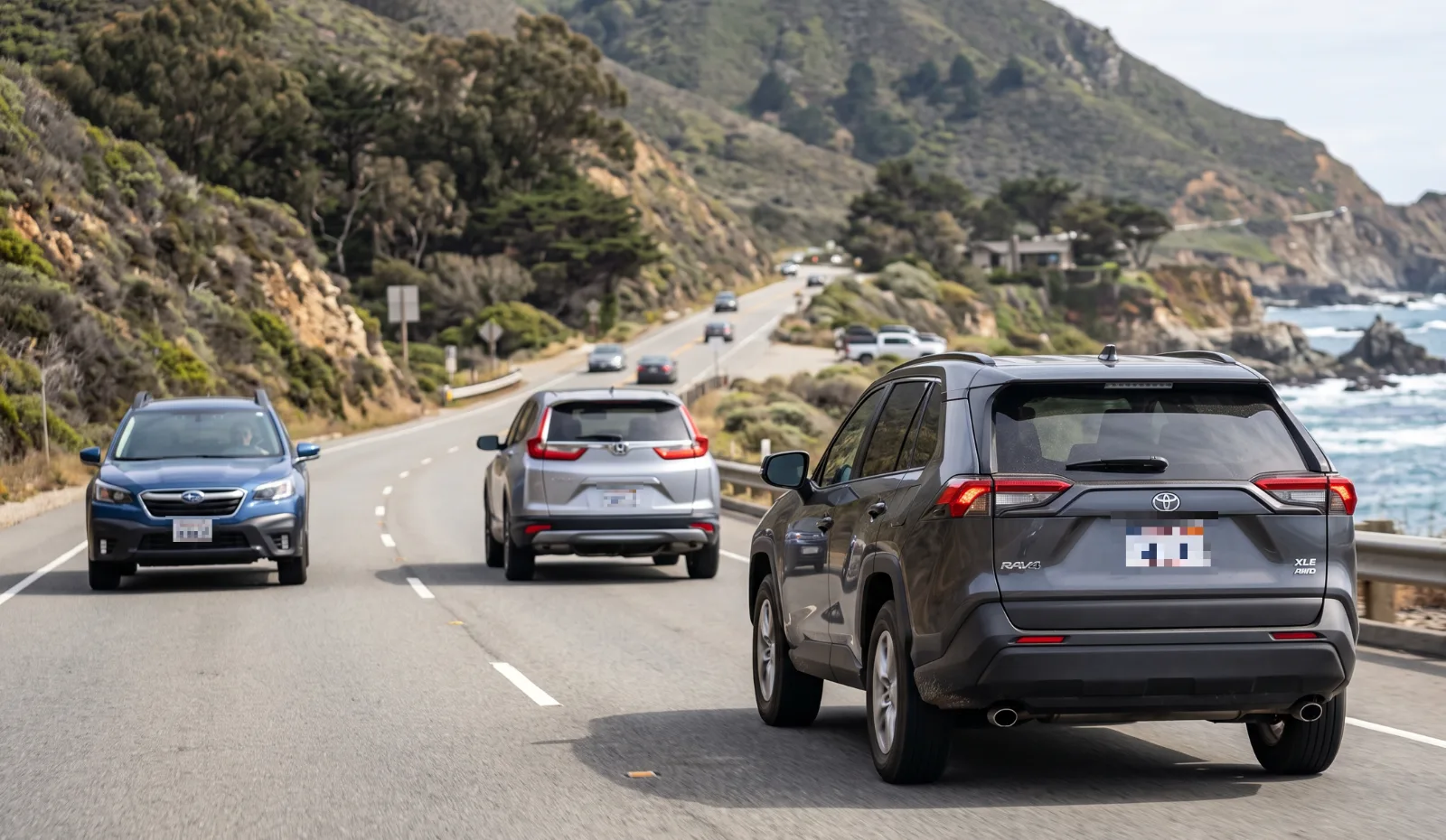
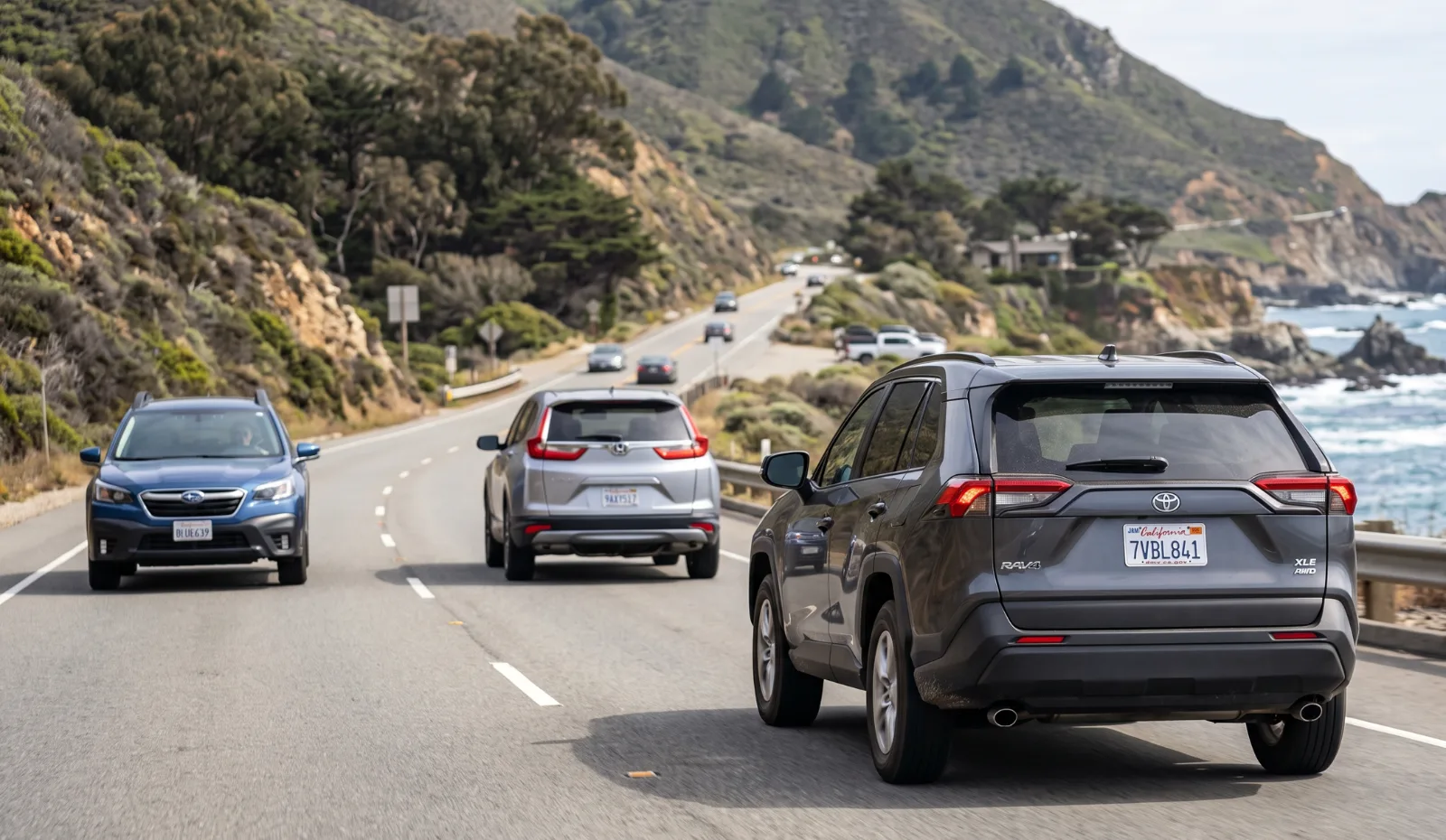
Plates detected and pixelated with no manual boxes.
How to blur a license plate in 3 steps
-
Add your car photos
Drop, paste or choose one photo, or up to 20 for a bulk blur. JPG, PNG, WebP and iPhone HEIC all work.
-
Plates are detected for you
Each plate gets a strong pixelation. Add a box by hand for a plate that is tiny, angled or half hidden.
-
Download, single or ZIP
Get the protected photo, or a ZIP for a batch. GPS and camera data are stripped on the way out.
Bulk license plate blur for listings and fleets
Dealers, rental companies and anyone selling a car usually have a whole set of photos, not one. Drop up to 20 photos at once and Pixhide runs plate detection on each of them, one after another, right in your browser.
When the batch is done you get one ZIP file with every protected image. Start the next batch immediately. There is no daily quota, no account and no watermark on the results.
- Marketplace and classified ad photos
- Dealer and fleet inventory shots
- Dashcam and road trip photos
- Insurance claims and accident photos
- Street and car spotting photography
- Parking disputes shared in local groups
Blur, pixelate or black out: which hides a plate best?
All three styles are available in the editor, but they are not equally safe. A soft blur keeps the overall shape of each character, which is exactly what deblur and enhancement tools work from. Pixelation with large blocks replaces each region with a single average color, so the strokes are gone. A solid box removes everything.
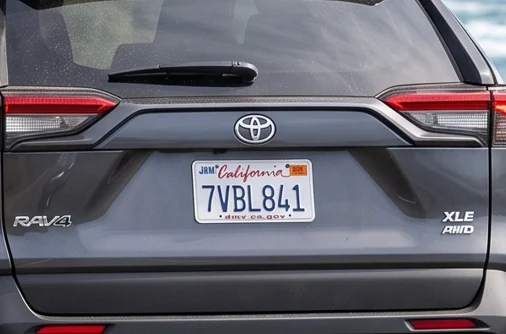
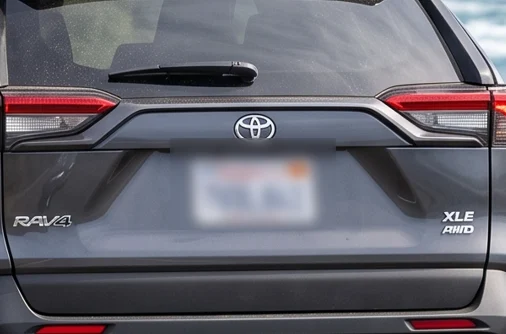
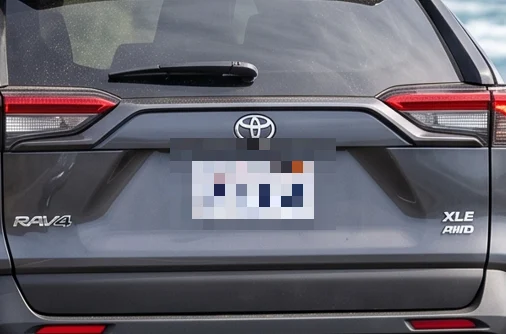
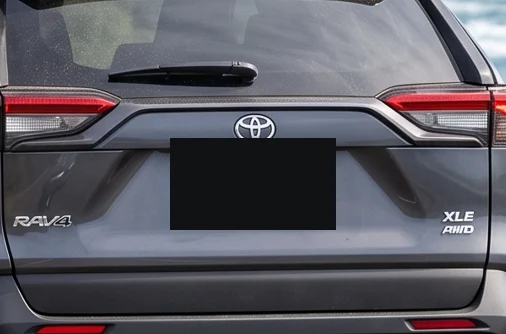
For marketplace photos, strong pixelation looks natural and is safe. For legal or sensitive cases, switch to solid cover in the sidebar.
Can a blurred license plate be unblurred?
Sometimes, if the blur is weak. A light Gaussian blur on a high resolution photo can leave enough structure for software, or a patient person comparing candidates, to guess the characters. Strong pixelation and solid boxes cannot be reversed, because the original pixels are no longer in the file.
That is why searches like "deblur license plate online free" exist, and why Pixhide never relies on a light blur by default. The export also rewrites the image from scratch, so there is no hidden layer or original copy inside the file.
Read the full explanation in can blurred license plates be unblurred.
Why blur license plates before posting?
A plate is a public identifier, but posting it online connects it to a place, a time and often to you. Common reasons people hide plates:
- Selling a car. Buyers do not need the plate to judge the car, and scammers can use it to clone plates or fake documents.
- Privacy at home. A car photographed in a driveway can reveal where its owner lives.
- Other people's cars. In street, travel and dashcam photos, the plates belong to strangers.
- Data protection. In the EU, publishing identifiable plates of others can fall under GDPR.
More context in why do people blur license plates.
License plate detection vs blur: what this tool does
Detection and blurring are two separate steps. Detection is a small AI model (YOLO) that finds rectangles that look like plates. Blurring is what happens to those rectangles. Pixhide runs both locally: the model is downloaded once into your browser, and the photo is never sent anywhere for recognition.
Pixhide does not read or store plate numbers. It only finds where a plate is so it can be covered.
Blur a license plate on iPhone or Android
- Open this page in Safari or Chrome on your phone.
- Tap Choose photos and pick one or more car photos from your library.
- Check the highlighted plates and tap Download.
HEIC photos from an iPhone open directly. The first HEIC can take a moment while a local decoder loads.
Privacy
Your photo is processed inside this browser tab. The original, the detected areas and the exported file are never sent to a Pixhide server.
Good to know
Detection can miss plates that are very small, strongly angled, dirty or partly hidden. Always review the preview and add a manual box where needed. Batch mode handles up to 20 images per selection. There is no daily quota, so you can start the next batch right away.
Ready to try it on your own photo?
Choose photosFrequently asked questions
How do I blur a license plate in a photo?
Open the photo on this page. Pixhide finds every license plate automatically and pixelates it. Check the highlighted boxes, add a manual box if a plate was missed, then download. The whole process takes a few seconds and runs in your browser.
Can I blur license plates in bulk?
Yes. Select or drop up to 20 photos at once. Each one is processed on your device and you get a single ZIP with every protected photo. When a batch finishes you can start another, with no daily limit.
Can a blurred license plate be unblurred?
A light Gaussian blur can sometimes be partly reversed, because the shapes of the characters survive. Strong pixelation and solid boxes discard that detail, so there is nothing left to recover. Pixhide uses strong pixelation by default. More in can blurred license plates be unblurred.
Can Pixhide deblur or read a blurred license plate?
No. Pixhide is built to hide plates, not reveal them. If a plate in your own photo is blurry from motion or focus, sharpening tools may help a little, but a plate that was deliberately pixelated cannot be restored by any online tool.
Why do people blur license plates?
A readable plate links a car to its owner and often to a home or work address. People blur plates to prevent stalking, plate cloning and unwanted contact when selling a car or posting photos online. See why blur license plates.
Is it illegal to post a photo with a visible license plate?
In most countries it is legal, but rules differ. In parts of Europe, publishing identifiable plates of other people can fall under data protection law. Blurring removes the question entirely.
Does it work on iPhone and Android?
Yes, in Safari, Chrome and other modern mobile browsers. iPhone HEIC photos are supported. Nothing to install and nothing uploaded.
Are my car photos uploaded?
No. Plate detection runs on your device with a small AI model loaded into the page. Your photos never reach a Pixhide server.