Pixelate Faces Online
An automatic face pixelator with strong mosaic blocks, safer than soft blur. Free, private, no upload.
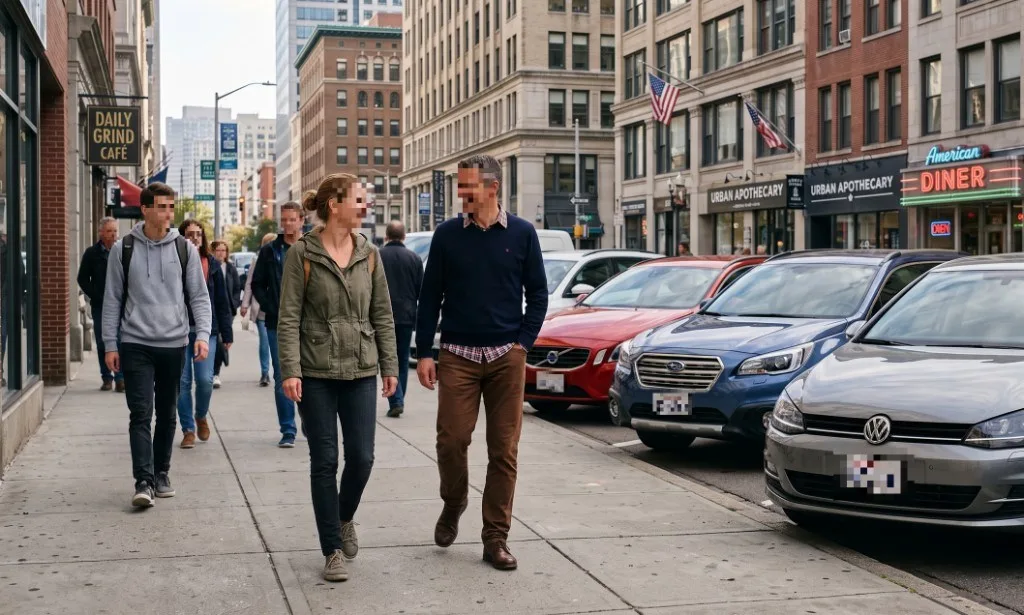
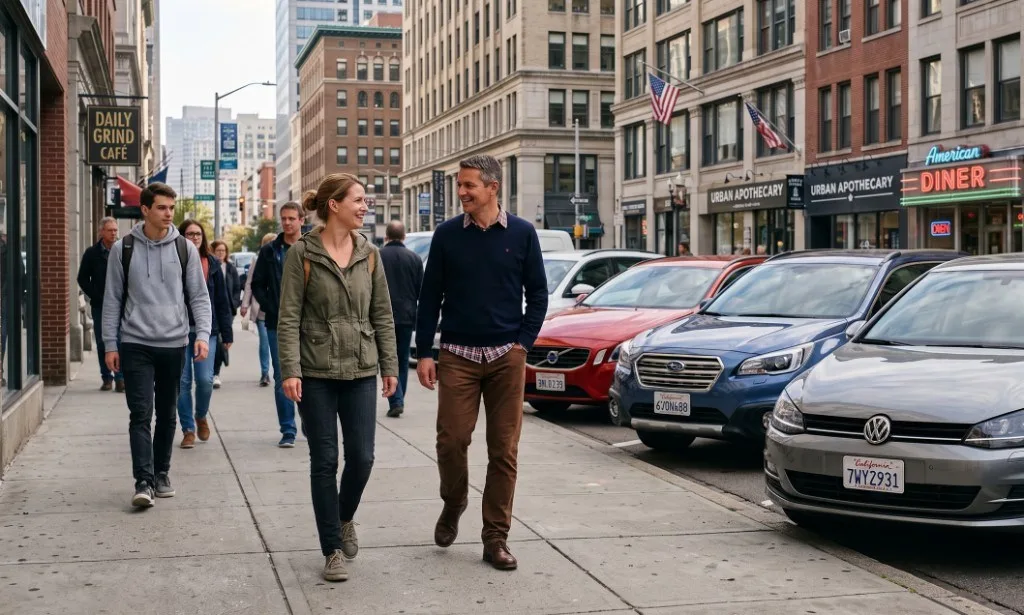
Faces pixelated with strong blocks in one pass.
How to pixelate a face in 3 steps
-
Choose your photo
One photo or a batch of 20. JPG, PNG, WebP and HEIC.
-
Faces are pixelated for you
Tune the block size with Light, Strong or Maximum. Keep any face visible with one tap.
-
Download
Mosaic blocks are merged into the image and metadata is removed.
Pixelated face vs blurred face
Both hide a face from a casual look. The difference shows when someone tries to undo it. A soft Gaussian blur spreads detail around but keeps much of it. A pixelated face with large blocks replaces each area with one average color, so eyes, nose and mouth simply are not in the file anymore.
| Style | Look | Reversible? |
|---|---|---|
| Light blur | Soft, natural | Sometimes partly |
| Light pixelate | Small mosaic | Weak on high resolution photos |
| Strong pixelate | Classic news mosaic | No |
| Solid cover | Plain box | No |
Can a pixelated face be unpixelated?
No, not with strong pixelation. So-called unpixelate and face enhancement tools generate a new face that fits the colors. The result can look convincing, but it is a guess, not the person in the photo.
The real risk is weak pixelation: blocks so small that the face is still recognizable from a distance. Strong works well for faces in groups and crowds. For a close-up portrait, where the face fills much of the frame, switch to Maximum so the blocks are big enough to remove all features.
When to use a face pixelator
- Protecting children in shared albums and school photos
- Crowds, protests and public events
- News, documentary and research images
- Witnesses and sources in reporting
- Internal documentation and incident reports
- Before and after photos in clinics and salons
If you also need to hide license plates and strip location data in one go, use Anonymize a photo.
Privacy
Your photo is processed inside this browser tab. The original, the detected areas and the exported file are never sent to a Pixhide server.
Good to know
Faces in profile, in deep shadow or partly covered can be missed. Check the preview and add a manual box for anything not highlighted. Batch mode handles up to 20 images per selection. There is no daily quota, so you can start the next batch right away.
Ready to try it on your own photo?
Choose photosFrequently asked questions
How do I pixelate a face in a photo?
Open the photo on this page. Faces are detected automatically and pixelated with large blocks. Adjust the strength if you like, then download. Nothing is uploaded.
What is the difference between pixelate and blur?
Blur smooths pixels into each other and keeps the overall shape. Pixelation replaces each block with one flat color, which removes fine detail. With large blocks, a pixelated face cannot be sharpened back.
Can a pixelated face be unpixelated?
Not with strong pixelation. AI "unpixelate" tools invent a plausible face, they do not recover the real one. Light pixelation with tiny blocks on a high resolution image is weaker, which is why Pixhide defaults to Strong.
Can I change the pixel size?
Yes. Pick Light, Strong or Maximum in the sidebar. Strong suits most sharing; Maximum is the safest choice for sources and minors.
Can I pixelate faces in many photos?
Yes. Drop up to 20 photos and download them all pixelated in a ZIP.
Is this face pixelator free?
Yes. No account, no watermark, no daily limit.
Are my photos uploaded?
No. Detection and pixelation run in your browser.